
How Real Finance Teams Are Using AI in Their Month-End Close
Most finance leaders have now sat through at least one AI demo that promised to transform their month-end close. And most of them walked away thinking the same thing: that looks nothing like what we actually deal with.
The gap between AI in theory and AI for controllers in a real month-end close is still wide. Not because the tools aren't capable, but because very few examples show the actual workflow. The exact prompt, the specific output, and the time taken on the clock before and after.
In this blog, we've pulled five workflows directly from controllers and CFOs who ran them during a live close, sourced from our Claude for B2B SaaS AI Accounting automation and How Controllers Close Books webinars. Each one includes the steps, the tools, and the results. The goal is simple: if you're evaluating whether AI belongs in your close process, you should be able to see exactly what that looks like before adopting it into your close process.
These aren't pilots or proofs of concept. They're how some finance teams are actually closing their books right now.
Related reads
- Finance glossary: key revenue recognition terms every controller should know
- Guide: order-to-cash management, the end-to-end playbook
The state of AI adoption in finance: where teams actually are in 2026
AI adoption in finance has moved beyond early experimentation into initial operational use. According to Deloitte's Q4 2025 CFO Signals survey, 54% of CFOs consider integrating AI agents for finance departments as a top priority.
But adoption isn't uniform. Most teams have started somewhere modest: drafting emails faster, summarizing documents, and generating variance explanations through AI tools.
In 2026, the gap is between those surface-level uses and the teams that have integrated finance AI tools into the core mechanics of the month-end close process. Using is the differentiator.
The five workflows below come from the latter group. These are the controllers and CFOs who've moved beyond "let's try this" and are now measurably faster, every single month.
Before you run any workflow, ensure to sanitize the data to retain privacy. Remove or mask customer names, contract IDs, and PII from any data before pasting it into an AI tool. Replace identifiers with placeholders (Customer A, Contract #001). Most of the workflows above work identically with anonymized data. This is a prerequisite, not optional.
Workflow 1: Bank reconciliation, from 4 hours to 45 minutes
Team profile: Controller at a 50-person SaaS company
The task: Monthly bank reconciliation matching transactions between the bank statement and the general ledger, flagging unmatched items, and documenting discrepancies.
AI tool used: Claude Desktop
The workflow:
- Export bank CSV and GL CSV from the accounting system.
- Paste both files into Claude with a reconciliation prompt: "Identify unmatched transactions, flag discrepancies above $X, and generate a structured reconciliation report with exception notes."
- AI returns a structured reconciliation report with unmatched items and discrepancies clearly highlighted.
- Controller reviews flagged items, investigates exceptions, and formally signs off within the accounting system.
- Final reconciliation and sign-off are documented within the system of record to maintain audit trails.
Before: ~4 hours After: ~45 minutes (including review time)
The prompt is doing real work here. The more specific you are about what counts as a "discrepancy" and what format you want the output in, the less manual review and adjustment is required in step 4. Finance teams using AI prompts optimized for close tasks see significantly less review time.
Workflow 2: Revenue variance analysis, from 2 hours to 20 minutes
Team profile: Finance analyst at a Series B SaaS company
The task: Monthly revenue variance analysis comparing actuals to forecast, explaining all variances above a defined threshold, and producing commentary for leadership review.
AI tool used: ChatGPT (GPT-4o)
The workflow:
- Pull actuals from the accounting system and forecast from the FP&A model, using robust financial modelling techniques taught in a financial modeling course to establish accurate projections and identify key business drivers ensuring accurate forecasting and variance analysis.
- To use ChatGPT for accounting, paste the actuals and the forecast with a clear prompt: "Explain all variances above 10%. For each variance, identify the likely driver (volume, pricing, mix, timing) and flag any items requiring follow-up."
- AI generates structured variance commentary with probable explanations
- Analyst reviews outputs, validates drivers against business context, refines explanations, and finalizes commentary for reporting
Before: ~2 hours After: ~20 minutes
The analyst still owns the insight. What AI removes is the time spent formatting, structuring, and drafting initial commentary that adds no analytical value.
Workflow 3: ASC 606 schedule generation, from 45 minutes to 10 minutes per contract
Team profile: Controller at a usage-based SaaS company
The task: Revenue recognition schedule preparation per contract, identifying performance obligations, allocating transaction price, and building the recognition timeline in compliance with ASC 606.
AI tool used: Claude Desktop
The workflow:
- Paste a summary of the contract terms into Claude (PDF or key details extracted).
- Use a structured ASC 606 prompt: "Identify all performance obligations, allocate transaction price based on SSP, and generate a revenue recognition schedule by month."
- Claude outputs a draft recognition schedule with the allocation logic documented.
- Controller reviews outputs, validates performance obligations and allocation logic against contract terms and company policy, and approves or adjusts before recording.
Before: ~45 minutes per contract After: ~10 minutes with review
For teams handling high-volume contracts, the impact compounds quickly. Twenty contracts per month at 35 minutes of savings each is more than 11 hours back in a single close task. Teams using Zenskar's revenue recognition automation alongside this workflow can further reduce manual preparation. Learn more about how to use Claude for B2B accounting to build this workflow into your existing process.
Workflow 4: P&L commentary, from 90 minutes to 25 minutes
Team profile: CFO at a 100-person SaaS company
The task: Preparing board-ready P&L commentary, translating financial results into a narrative that a board of directors (not accountants) can understand and act on.
AI tool used: Claude Desktop
The workflow:
- Paste the P&L financials into Claude.
- Specify the audience explicitly in the prompt: "Draft P&L commentary for a board audience, non-accountants. Focus on EBITDA, key expense drivers, material variances, and any items requiring board attention. Use clear, concise language."
- Claude drafts with an executive-level narrative structure.
- CFO reviews, edits for tone, adds strategic context, and approves commentary for board materials.
Before: ~90 minutes After: ~25 minutes
The insight here is audience-specific prompting. A generic "summarize this P&L" prompt produces generic output. Telling Claude who will read it and what decisions they need to make produces commentary that actually serves the meeting. For commentary that still reads a little stiff or formulaic, running it through an AI humanizer can soften the phrasing into a natural, board-ready voice before the CFO makes a final pass.
Workflow 5: Audit prep documentation, from 2 days to half a day
Team profile: Controller using AI-assisted workflows across audit request management
The task: Financial reporting often involves audit preparation, organizing PBC (provided by client) lists, drafting responses to auditor queries, compiling reconciliation documentation, and building the supporting evidence package.
AI tool used: Claude Desktop / ChatGPT
The workflow:
- Paste the auditor's PBC request list into the AI tool.
- Prompt: "Organize these audit requests by category. For each item, draft a brief response based on the following context: [paste relevant account details or reconciliations]. Flag any items requiring additional support or missing documentation."
- AI produces an organized response document with draft language for each item.
- Controller reviews all responses, fills flagged gaps, and finalizes documentation.
Before: ~2 days After: ~half a day
Audit preparation is well-suited to AI assistance because much of the work is structured, repetitive, and documentation-heavy.
What these finance teams have in common (and how to replicate it)
Look across all five workflows, and a clear pattern emerges that could help build a month-end close checklist:
1. They're using AI for mechanical work, not judgment calls. Matching transactions, formatting commentary, and drafting documentation, these tasks don't require controller-level expertise to execute. They require time. AI compresses the execution time so finance teams can focus on where it actually matters.
2. They've built specific, reusable prompts. None of the workflows above works with a casual ask. Each uses a structured prompt that specifies format, audience, scope, and exception criteria. These prompts took a few iterations to get right, and now they run every month. They emphasize leaving the judgment to a human reviewer.
3. They've accepted that AI output requires review and planned for it. The time savings above include review time. AI makes a first pass. The controller makes the call. It’s the appropriate workflow, not a limitation.
4. They validate AI output before trusting it. After AI returns any output, follow with a second prompt, "What assumptions did you make, and where could this be wrong?" This surfaces confidence gaps before a human reviewer misses them.
5. They started with a single workflow. Not a full AI transformation. One task, one close cycle, one measurable result. That proof point created the conviction (and organizational permission) to expand.
When AI workflows hit the wall: the infrastructure problem
The five workflows above are replicable today, with tools you already have access to. No new systems, no lengthy implementation, no organizational mandate required. One workflow, one close, one result.
However, there's a structural limitation in every workflow above that's easy to miss. Each one starts with a manual data step: export a CSV, paste financials, pull contract details. Before AI can do anything, a human has to prepare the data. And when the output is ready, someone has to copy it back into the system of record. For teams closing today with the tools they have, this is still a meaningful improvement. But it's not the end state. Bolting AI onto broken systems is as useful as a Ferrari engine on a horse-drawn carriage. For teams looking to reduce manual journal-entry work while keeping human oversight, Maxima uses agentic AI to prepare and post journal entries, apply company policies, and maintain transaction-level records for review. Its workflows support tasks such as payroll, accruals, and allocations while keeping entries review-ready and audit-ready.
Legacy tools tied usage to subscription software ten years ago, and finance teams have been building workarounds ever since. Bolting AI onto those same systems persists the limitations. That's not the future of finance. Zenskar is built differently: AI-native from the foundation, not layered on top.
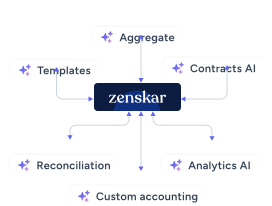
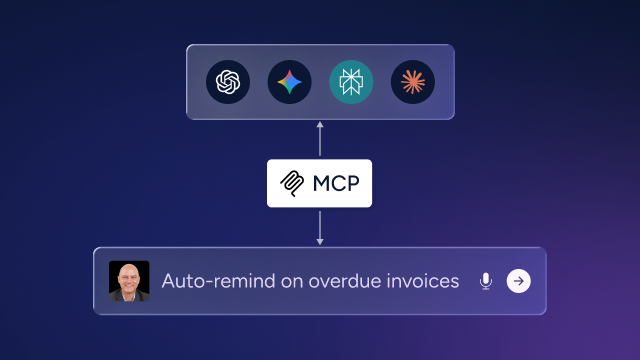
Zenskar integrates AI directly with your billing data, usage events, contracts, and invoice history. So instead of exporting and pasting, you just ask. Zen AI by Zenskar does exactly that. Zen AI is Zenskar's AI-native analytics layer, built directly on top of live billing, contract, and usage data, not a chatbot overlay on top of exported CSVs.
Ask "What's causing the MRR variance this month?" and get a data-backed answer from live contract and billing data, no CSV, no paste, no prep. The mechanical workflow disappears entirely. Indigov cut the month-end close time by 80% using Zenskar's automated revenue recognition model.
And for teams running usage-based, multi-entity, or amendment-heavy contracts, which is the kind of complexity that generic AI prompts struggle with, Zenskar handles the underlying complexity before the AI ever touches it. The AI workflows above become significantly more powerful when the data they're working with is already clean, structured, and complete.
Book a demo to see Zenskar’s analytics in action.
By automating recurring billing with Zenskar, our billing cycle – which previously took 7–9 days – now closes in 2 days, saving 16-20 hours/month.

Frequently asked questions
Yes. AI significantly reduces the time spent on documentation-heavy, repetitive close tasks. Real-world workflows show time savings ranging from 50% to 80% on specific tasks, including bank reconciliation (4 hours to 45 minutes) and audit prep documentation (2 days to half a day).
Controllers primarily use Claude and ChatGPT-4o for close-related work. Claude is frequently cited for revenue recognition, audit prep, and P&L commentary. ChatGPT-4o is commonly used for variance analysis and financial narrative drafting. The choice often comes down to prompt structure and document-handling requirements.
The primary limitation is manual data preparation. Most AI-assisted close workflows still require exporting data, pasting it into an AI tool, and copying outputs back into accounting systems. Teams using integrated platforms like Zenskar eliminate this friction by connecting AI directly to live billing and contract data.
Start with one high-friction, repetitive task, such as bank reconciliation or variance commentary, as a common entry point. Build a structured prompt, test it in your next close cycle, measure the time savings, and iterate. Most teams see meaningful results within one to two close cycles.
AI output requires human review before finalization. Finance teams using AI for audit prep report that AI handles the organizational and drafting work reliably, flagging gaps and structuring responses, while the controller provides final verification and sign-off. The output is not posted without human approval.


Stay Future-Ready with AI-Native Order-to-Cash
Zenskar scales with you - it's flexible, reliable, and enterprise-ready.
