

Zenskar vs BillingPlatform: Which Fits Your Business?
Discover the top 5 BillingPlatform alternatives for your business. Compare pricing, key features, and integrations to choose the best fit for your needs.
Introduction
BillingPlatform is an enterprise-grade, revenue lifecycle management platform, but its complex architecture introduces additional challenges. The platform struggles with real-time, high-volume usage processing - a dealbreaker for modern SaaS businesses dealing with consumption-based pricing.
If you're reconsidering your billing stack, this guide examines BillingPlatform’s shortcomings and compares five proven alternatives: Zenskar, Tabs, Maxio, Stripe Billing, and Zuora.
BillingPlatform comparison at a glance
has to store extra fields in their internal
systems
systems to map usage correctly
automatically billing overages
ERP integration supports only basic object sync

Switch to zero-touch FinOps with Zenskar
Top 5 BillingPlatform alternatives and competitors
1. Zenskar
UI lag on large datasets, months-long implementations, and pricing changes that need vendor consultants make BillingPlatform feel less like a solution and more like technical debt.
Zenskar is an AI-native order-to-cash software built for speed and flexibility. It eliminates grunt work, spreadsheets, and dependence on developers.
Send your contracts and usage to the AI-native platform that automates everything downstream - billing, revenue recognition, collections, and SaaS metrics. Zenskar’s conversational AI agent works as an extension of your team. It runs queries, performs actions, curates reports, and provides insights to simplify all your tasks every day.
Unlike BillingPlatform's rigid catalog, Zenskar offers unlimited pricing flexibility to set up subscriptions, usage, or custom contracts without developers or manual hacks. With off-the-shelf features, 100+ plug-and-play integrations, and migration support, you can switch to Zenskar in weeks, not months.
Key differences between Zenskar and BillingPlatform
Requires custom solutions or external tools for managing credits and usage allowances.

Matt Branard

70% faster month-end closing
"We're able to automate revenue recognition accurately for our value-based billing, reducing the manual hours spent by 70%."

Noy Kalansky

Saved 200+ hours of grunt work
"We're saving 200+ hours/quarter on invoicing and receivables management by completely automating our recurring billing."
Pros
- Built as a single, unified platform, covering billing, invoicing, usage metering, collections, and revenue recognition in one system.
- Finance teams can configure billing independently, enabling faster iteration without complex engineering or custom code.
- Instant updates across the platform for payments, contract changes, and usage data.
- Modern cloud architecture ensures performance at scale, thereby avoiding the latency issues commonly seen in older systems.
- Automatic adjustment of revenue entries based on corrections to prior-period closed numbers.
- Zenskar handles all customer-related accounts in one system: AR, revenue, unbilled revenue, deferred revenue, payment gateway expenses and receivables, and gateway payouts, sales tax payables, customer wallet liabilities, etc.
Cons
- No built-in CPQ but integrates with third-party CPQ tools

Source: G2
Vertice closed books 70% faster with Zenskar
2. BillingPlatform vs Tabs
We understand how frustrating it can be when your billing platform holds you back from growth, especially in the fast-paced world of SaaS. Tabs offers a modern alternative to BillingPlatform's legacy systems, letting teams breathe easier with its streamlined approach.
By treating each product as an atomic unit, Tabs enables quick iterations on standard billing scenarios—without the heavy overhead and complexity that BillingPlatform often demands. This simplicity helps smaller teams move faster and focus on what matters: delighting customers and scaling revenue.
That said, we know reliability is everything in finance ops. Tabs lacks a native entitlements module, leaving no built-in way to track credits or prepaid usage. This gap can create real headaches for growing businesses, forcing them to seek robust Tabs alternatives that handle these nuances seamlessly.
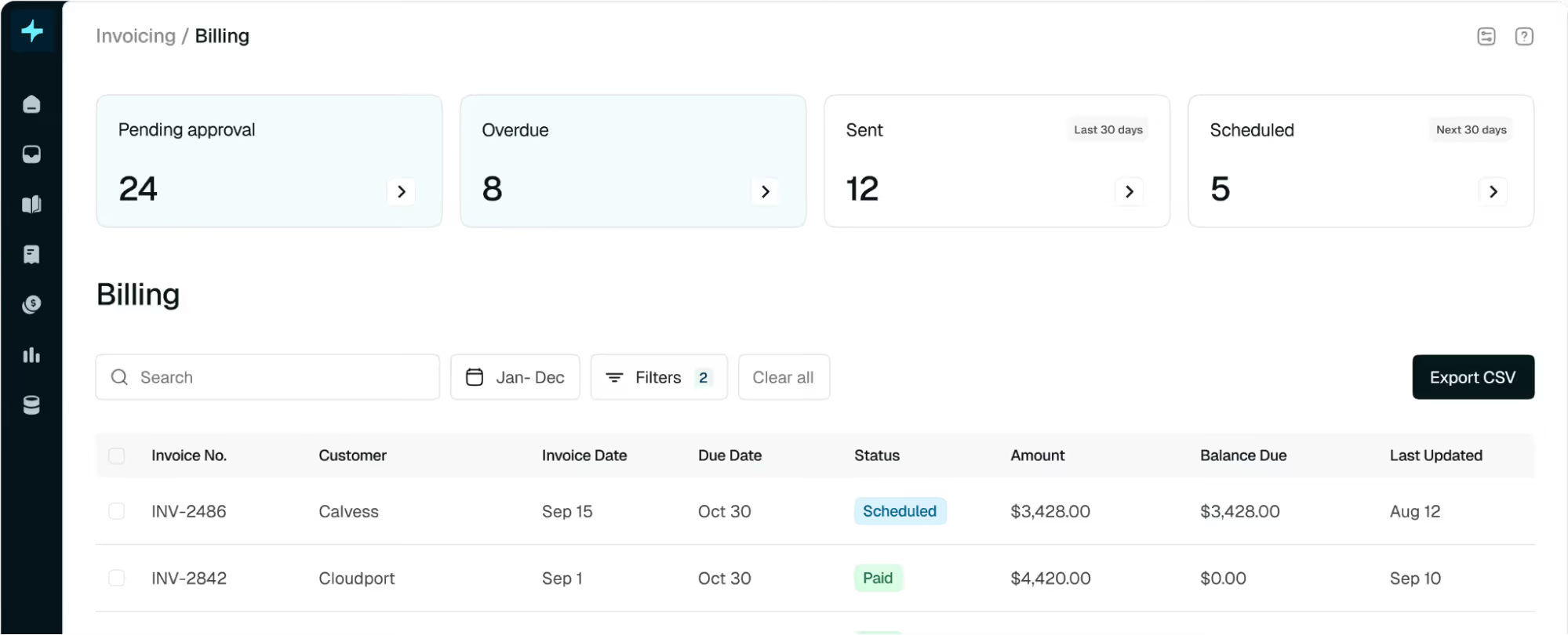
Source: Tabs
Pros
- Tabs has built its product around each product (line item) being an atomic unit to help them move fast.
- Tabs provides reports for revenue waterfall charts, overdue invoices etc.
- ERP integration supports basic object sync.
- Supports multi-currency transactions for international operations
- Basic revenue recognition features for standard compliance.
Cons
- Limitations when dealing with group/contract-level features, such as minimum commitments or cross-product credit applications.
- No native entitlements module leading to no way to track credits or prepaid usage and no support for prepaid billing.
- Because each product is treated as a separate atomic unit, managing usage across products or at the contract level becomes difficult.
- Cannot push revenue recognition data to ERP systems.
- Does not create all journal entries to automate AR, revenue, unbilled revenue, deferred revenue, payment gateway charges, etc.
- No Xero integration, limiting usability for companies using Xero for accounting.
- Offers a limited set of APIs that are not very user-friendly.
- Does not offer a customer portal.
3. BillingPlatform vs Maxio
Maxio steps up where legacy systems like BillingPlatform fall short, delivering core subscription billing capabilities that help teams manage recurring revenue more effectively. That's why many growing SaaS businesses turn to it as a solid upgrade.
Yet, we know the reality of implementation can feel overwhelming. Maxio comes with significant technical dependencies that demand engineering resources at multiple stages—from setup to ongoing maintenance. These hurdles often drain time and budget, leaving teams stretched thin and prompting them to explore alternatives to Maxio for a smoother, more automated path forward.
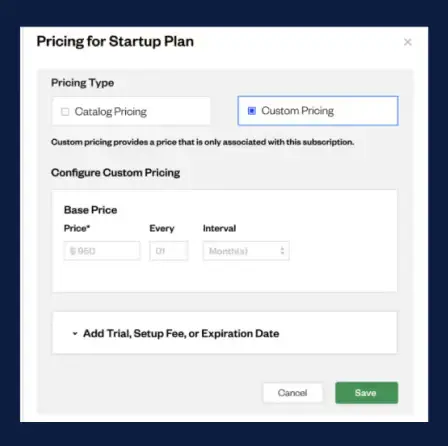
Source: Maxio
Pros
- Maxio includes a native, configurable rev rec engine for B2B SaaS. It handles deferred revenue tracking, contract modifications and expense amortization.
- Maxio offers two-way sync with NetSuite, QuickBooks, HubSpot, and Salesforce. These integrations are purpose-built for finance workflows (e.g., syncing journal entries, tracking deferred revenue).
- Maxio includes built-in dashboards for: CAC:CLTV ratios, cohort performance,real-time cash forecasts, and custom revenue reports.
- Maxio supports contract-based billing, prepaid subscription tracking, and billing schedules tied to milestones—critical for enterprise deals.
Cons
- Usage data must include pricing and contract-level identifiers, requiring engineering teams to embed billing logic into product infrastructure—creating tight coupling and recurring engineering bandwidth
- Only handles overdue payment retries—no workflow automation for proactive debt collection or custom dunning logic
- RevRec breaks down with usage-based billing, entitlements, or multi-year contracts. Period locking further restricts accurate restatement of financials
- Customers report persistent issues with Salesforce, QuickBooks, and NetSuite syncs—often requiring manual edits or duplicate data entry
- APIs are not as flexible or developer-friendly
- Slower implementation; longer onboarding timeline
4. BillingPlatform vs Stripe Billing
We know how exhausting it can be to outgrow a rigid billing system like BillingPlatform, especially when your SaaS business demands speed and simplicity to stay competitive. For that reason, Stripe Billing stands out as a strong contender—offering developer-friendly subscription management, seamless global payments, and automated retries that recover 41% of failed payments, all without the enterprise-level complexity of BillingPlatform.
Yet, real-world scaling often reveals hidden friction. Updating pricing or rolling out new models in Stripe Billing frequently requires custom code, API tinkering, and cross-team coordination between sales, finance, and engineering—slowing execution and hindering quick responses to market shifts.
This technical overhead prompts many growing teams to seek Stripe Billing alternatives that deliver greater flexibility, native automation, and less engineering dependency right out of the gate.
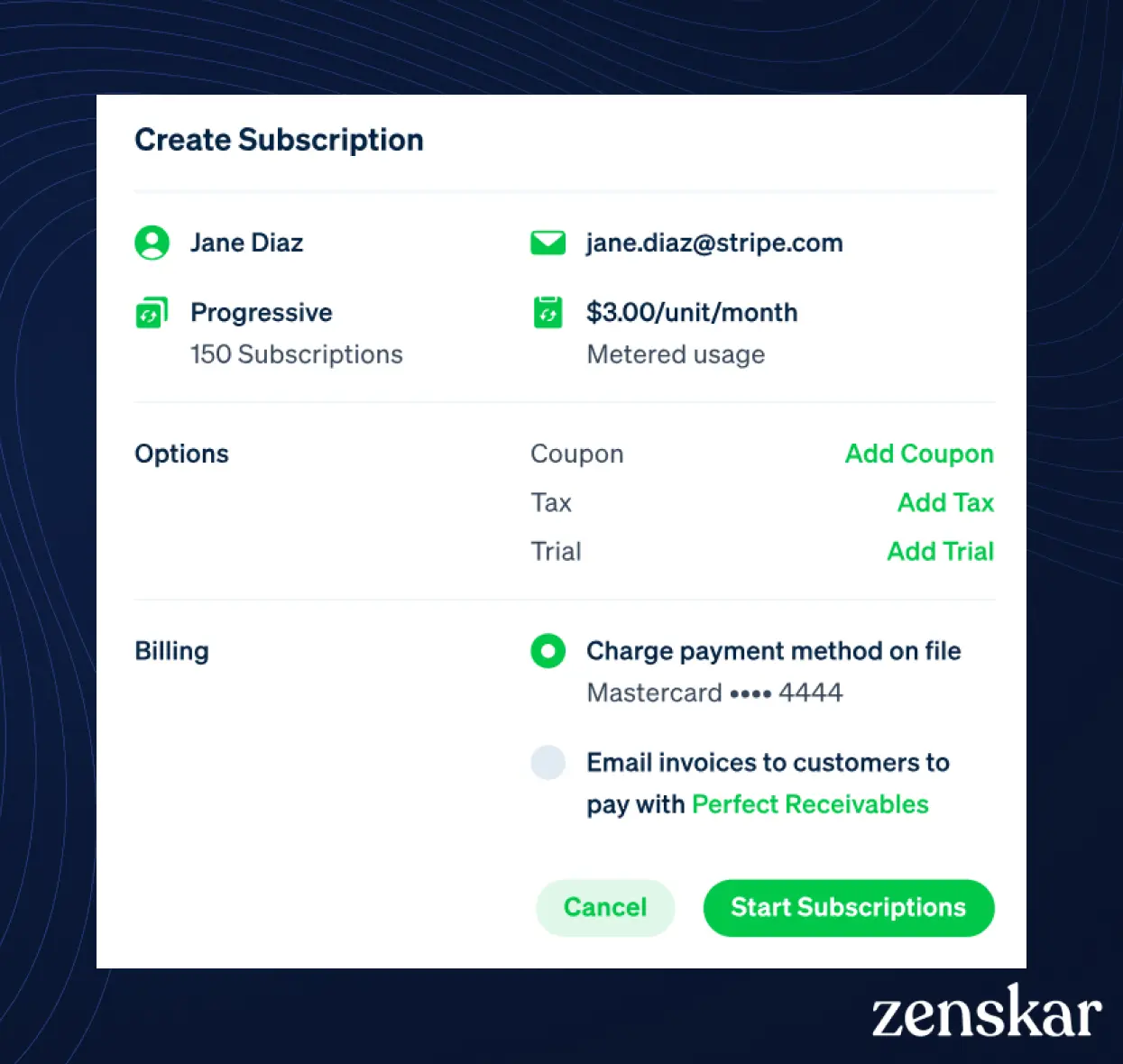
Source: Stripe Billing
Pros
- Highly customizable APIs for developers to build tailored billing workflows.
- Supports multiple pricing models, including flat-rate, usage-based, and hybrid.
- Seamless integration with Stripe Payments for global transactions.
- Multi-currency support with localized pricing.
- Automated invoicing with smart retry mechanisms for failed payments.
- Robust documentation and community support for developers.
Cons
- Lacks native revenue recognition; requires third-party accounting tools
- Invoice customization is minimal compared to competitors
- No built-in dunning automation; relies on third-party solutions
- Limited reporting and analytics for financial tracking
- Requires engineering bandwidth for implementation and maintenance
- Not ideal for companies needing contract-based billing
- Restricted to Stripe ecosystem limiting flexibility with alternative payment providers
5. BillingPlatform vs Zuora
While BillingPlatform offers robust enterprise features, Zuora takes subscription billing to the next level for complex needs, with centralized revenue management and deeper support for usage-based models that many growing teams rely on to handle high-volume contracts smoothly.
That said, Zuora isn't a one-size-fits-all fix, and we get how its realities can weigh teams down. Its high pricing, drawn-out implementation cycles, and struggles with truly intricate pricing models or contract structures often leave growing businesses feeling stuck—prompting them to explore Zuora alternatives that deliver enterprise power without the enterprise headaches.
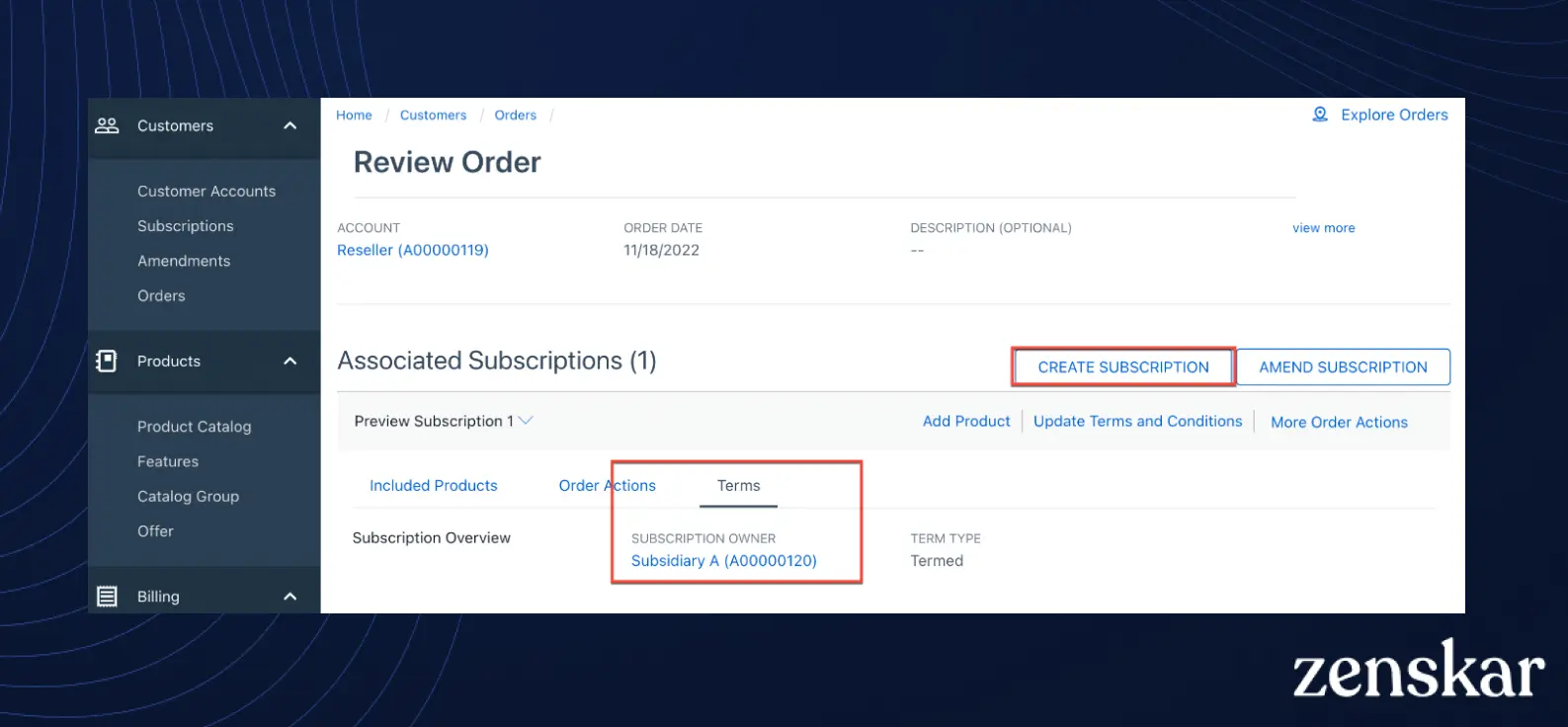
Source: Zuora
Pros
- Supports advanced usage-based billing models, including prepaid, per-delivery, and multi-attribute usage.
- Provides a native CPQ solution for seamless quoting without third-party integrations.
- High-volume invoice generation—Zuora can handle up to 10,000 invoices in 7 minutes.
- Extensive API support with 50,000 API calls per minute, ideal for large enterprises.
Cons
- Long implementation timelines; setup can take months
- High total cost of ownership with additional fees for advanced features
- Requires technical expertise to configure and maintain
- Customer support varies by tier with priority access only for enterprise clients
- Complex user interface with steep learning curve
- Invoice customization is limited requiring engineering workarounds
- Revenue recognition is not real-time and may require manual adjustments
5 common challenges with BillingPlatform that finance teams face
1. Real-time processing can't keep up with scale
When you're running billing for high-volume usage data or complex pricing rules, BillingPlatform shows noticeable lag. The UI slows down, usage data doesn't update instantly, and billing runs get delayed.
What this means for you: Month-end close takes longer than it should. You're reconciling sync issues between customer consumption and invoices instead of closing books on time. For businesses with consumption-based pricing or spiky usage patterns, these performance limitations create recurring headaches during your busiest periods.
2. Pricing changes need engineering help
BillingPlatform's product catalog wasn't built for flexibility. When you want to test new pricing tiers, implement hybrid models, or add conditional discounts, you can't just configure it yourself in the UI.
What this means for you: Every pricing iteration becomes a project requiring engineering or vendor support. Sales closes a deal with custom terms? You're filing tickets and waiting weeks. Want to respond quickly to a competitor's pricing move? You're stuck asking for permission instead of moving fast. The system forces you to be a bottleneck when you should be enabling growth.
3. No native way to manage entitlements
BillingPlatform can handle basic usage overages and minimum commitments, but there's no built-in module for tracking prepaid credits, feature-level access, or usage allowances.
4. Integration and sync challenges
Reviewers have noted occasional glitches or delays in syncing data with CRM systems. Moreover, the platform’s data mapping and field naming conventions are not intuitive, leading to confusion and errors during integration setup. This means that keeping customer, invoice, or payment data in sync between BillingPlatform and, say, Salesforce often requires careful configuration (or even custom middleware) and ongoing maintenance, which is an added burden on engineering/IT teams.
What this means for you: If customers have a pool of credits to spend down, or if you need to enforce feature limits and bill for overages, you're building custom solutions or relying on external tools. Your engineering team ends up coding entitlement logic into the product itself—work that should be handled by your billing platform. It's extra complexity that never goes away.
5. Basic analytics and reporting limitations
Some users cite challenges in building custom reporting and dashboards, and occasional delays in data refresh between modules. The platform’s out-of-the-box reports focus on billing and revenue data, but lack pre-built SaaS metrics insights. For a SaaS business, this means extra work to get real-time metrics – finance might need to export data to spreadsheets or a data warehouse to do deeper analysis, since the in-app reporting isn’t very self-service or real-time for complex metrics.
What to look for in the best BillingPlatform alternative?
1. No Engineering Required (Fast Implementation)
- Native Data Ingestion → Ingest raw usage data in any format (API, CSV, database) without preprocessing
- Self-Service Config → Finance teams handle billing setups via UI, no dev cycles
- Quick Go-Live → Days to deploy vs. months, with secure direct piping
2. Unlimited Pricing Flexibility (No-Code)
- Decoupled Metering → Change pricing without altering usage measurement (or vice versa)
- Hybrid Models → Flat, tiered, usage-based, milestones—all configurable without code
- Dynamic Rules → Experiment with tiers, discounts, or contracts via no-code builder
3. Unified System Architecture (No Sync Issues)
- Single Platform → Billing, invoicing, rating, collections, rev rec in one real-time system
- Seamless Data Flow → Instant updates across modules, no batch delays or mismatches
- Scalable Performance → Modern cloud design avoids latency in fragmented legacy tools
4. Automated Revenue Recognition
- Full Compliance → ASC 606/IFRS 15 automation for deferred, accrued, unbilled revenue
- Real-Time Adjustments → Auto-handles usage corrections, amendments, multi-element deals
- Zero-Day Close → Direct feed from usage/billing to revenue schedules, no manual work
5. Native Entitlements & Overages
- Built-In Tracking → Auto-depletes prepaid credits, API calls, or allowances per contract
- Overage Billing → Handles excesses, rollovers, top-ups without custom code
- Flexible Plans → Supports trials, bundles, wallets—eliminates engineering debt
6. Seamless CRM & ERP Integrations
- Bi-Directional Sync → Native Salesforce flow
- Pre-Built Connectors → QuickBooks, NetSuite, etc.
- Usage Data Direct Ingestion → Ingest from warehouses/databases, no third-party tools needed
7. Rich Analytics & Reporting
- Real-Time Dashboards → MRR, ARR, churn, usage trends—updated instantly
- Custom Insights → Slice data by product/region/tier; correlate usage with revenue
- No Exports Needed → Comprehensive in-platform metrics, shareable/scheduled reports
8. Transparent Pricing & Lower TCO
- No Revenue Share → Fixed, usage-based pricing without % fees or minimums
- All-Inclusive → Integrations/modules included.
- Predictable Scaling → Lower implementation costs, aligns with growth
What makes Zenskar the best BillingPlatform alternative?
Zenskar's contract-level flexibility, native entitlements management, and comprehensive revenue recognition automation makes it the ideal AI-native order-to-cash solution.
To experience Zenskar's AI-native capabilities, you can book a demo or take an interactive product tour.
Frequently asked questions
The top 5 BillingPlatform alternatives are Zenskar, Tabs, Maxio, Stripe Billing, and Zuora. Zenskar stands out for modern B2B/B2C businesses with AI-powered order-to-cash automation, native entitlements, real-time usage metering, and 100+ integrations—ideal if you need quick setup without engineering dependency.
BillingPlatform struggles with real-time high-volume usage processing, inflexible product catalogs, no native entitlements for prepaid credits, complex revenue recognition, integration glitches, and basic reporting. These issues create engineering debt and slow iteration, pushing SaaS teams toward more agile options like Zenskar.
Zenskar offers superior real-time data flow, no-code pricing flexibility, built-in entitlements (with overage billing and rollovers), automated ASC 606/IFRS 15 revenue recognition, and instant analytics—deployable in days vs. BillingPlatform's weeks/months. It eliminates latency, sync issues, and hidden fees for lower TCO.
Prioritize no-engineering setups (native data ingestion, UI config), unlimited pricing models, unified architecture for seamless syncs, automated revenue recognition, native entitlements, bi-directional CRM/ERP integrations, real-time dashboards, and transparent pricing. Zenskar excels across all these for scalable SaaS growth.
Zenskar's AI-native platform enables implementation in days to weeks with minimal dev involvement-ingest contracts/usage automatically, leverage migration support, and go live. This contrasts BillingPlatform's lengthy, service-heavy timelines.
Grow your subscriptions without limits
Don't let another dollar slip through the cracks.
