

Zenskar vs Salesforce Billing: A Full Comparison
Salesforce Billing slowing you down? Compare top Salesforce alternatives like Zenskar, Chargebee, Zuora, and others to find the right fit for your order-to-cash workflow.
Introduction
Salesforce didn't just build a CRM, it built an ecosystem finance teams genuinely relied on. But somewhere between Revenue Cloud, CPQ, and Billing, the ecosystem became a catalog: every critical connector a separate line item, every pricing change a ticket to engineering, every month-end close a scramble between Salesforce and spreadsheets. The platform scaled, the complexity scaled faster.
If your billing and revenue operations have outgrown what Salesforce was designed to do, this guide covers the five Salesforce alternatives built to replace it.
Salesforce alternatives: Comparison at a glance

Top 5 Salesforce alternatives in 2026
1. Zenskar
Zenskar is a billing and revenue management platform built for businesses of all sizes, from small teams to enterprises. It allows finance teams to fully automate the order-to-cash workflow and revenue recognition independently. Its key differentiator is its AI layer, which embeds natively into its workflow, from setting up the platform to managing day-to-day operations and querying revenue data in natural language.
Zenskar supports a wide range of pricing models including flat-fee, matrix, tiered, and 2D pricing without depending on developers, where Salesforce Billing requires constant engineering support.
Implementation is also significantly faster, within weeks for enterprise clients, compared to Salesforce’s 6 to 12 months.

Features
- Billing: Automates invoice creation for bespoke contracts with custom pricing and discount terms. Supports custom start dates, contract mergers and splits, and flexible payment terms across payment modes.
- Revenue Recognition: Automates revenue recognition in a no-code manner, supporting multiple revenue recognition methods such as milestone-based, usage-based, and prorated, and distribution options like straight line, front-load, and back-load. Compliant with ASC 606 and IFRS 15, with a full audit trail.
- Usage Metering: Pulls data from 100+ data source integrations and accepts pushed data via API endpoints at up to 50,000 events per second
- Analytics AI: Plug-and-play dashboards with natural language querying, no SQL required.
- Zen AI: An AI assistant for both setup and daily operations. Handles platform configuration, autogenerates performance obligations, and manages tasks like credit note issuance and customer updates, distinct from Analytics AI that focuses on reporting
Pros
- Supports all pricing models, from subscription to bespoke contracts, without dev dependence
- High usage metering capacity, that can ingest up to 50,000+ events per second
- 100+ two-way integrations with CRM, ERP, CPQ, and payments systems
- Fully automated revenue recognition, decoupled from billing, allowing flexibility
- Custom invoices with splitting, consolidation, and dynamic templates
- 24/7 Slack, Zoom, and email support at no extra cost
Cons
- Does not offer native quoting (CPQ) capabilities
- Does not support non-revenue functions like accounts payable and expense management
Why Zenskar is the best Salesforce Billing alternative?
SMBs: 4 to 10 weeks
Enterprises: 8 to 16 weeks
Note: Pricing is not a % of revenue earned by client
Advanced plan (entire quote-to-cash infrastructure): $200/user/month
User-based pricing
2. Chargebee
Chargebee is a revenue and subscription management platform that helps businesses create quotes, automate billing and revenue recognition, and improve customer retention. Unlike Salesforce Revenue Cloud, Chargebee is well suited for startups and mid-sized companies that need a flexible financial operations workflow without an enterprise overhead.
Chargebee natively supports pricing models like usage-based (with a metering capacity of up to 200,000 requests per second) and outcome-based billing. Salesforce Billing, by contrast, requires engineering support to configure these models.
Chargebee works well for straightforward subscription billing, but if contracts mix usage, platform fees, or minimum commitments, its subscription-first architecture begins to show cracks. See the top Chargebee alternatives that handle more complex billing models.
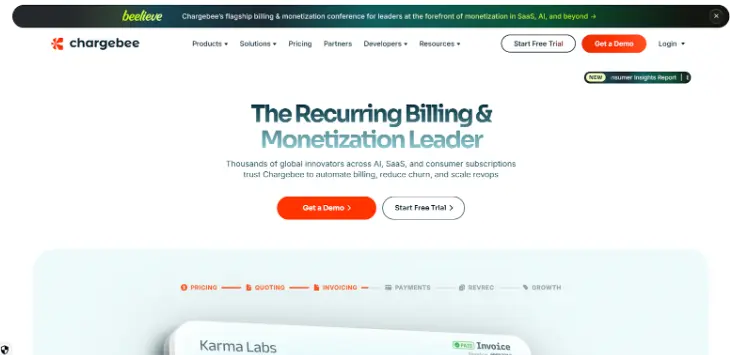
Chargebee is a subscription-first platform requiring developer support for non-standard billing.
Features
- CPQ: Uses a product catalog and intuitive quoting to create custom quotes, and aligns billing and selling rules.
- Billing: Handles a wide range of pricing scenarios including overages, usage-based, outcome-based, pay-as-you-go, tiered, volume-based, stairstep, prepaid credits, and package pricing across 100+ currencies.
- Revenue Recognition: Integrates with ERP, CRM, and payment gateways to automate revenue recognition and generate GAAP-compliant revenue subledgers covering AR, cash, sales tax payable, deferred revenue, and bad debt.
- Reporting: Lets teams build customized metrics tracker and interactive dashboards in a no-code environment.
Pros
- Strong subscription lifecycle automation, including support for trials, renewals, upgrades, and downgrades
- Enables multi-currency transactions, suitable for international operations
- Automates tax compliance via Avalara integration
- High usage metering capacity, supporting up to 200k requests per second
Cons
- Does not support multi-entity revenue recognition, difficult for complex org structures
- Requires API-based ingestion and pushes for usage data, requiring developer support for pricing changes
- Lacks native support for complex billing scenarios such as minimum commitments, platform fees (% of usage), and arrears within a single contract
- Limited entitlement capabilities, with no native real-time tracking or dynamic logic for usage resets, rollovers, and limit enforcement
3. Zuora
Zuora is a subscription and revenue management platform built to handle the complexities of recurring business models. It is well-suited for large enterprises and growing companies transitioning from product-led growth to sales-led growth.
Zuora’s core strength is in the subscription business. This extends to its CPQ capabilities, which allow teams to create custom subscription-based quotes influenced by deal terms. It also automates revenue recognition through Standard Selling Price (SSP) allocation as performance obligations are met. Salesforce Revenue Cloud, in contrast, does not offer a fully automated order-to-cash workflow, with automation limited to invoicing, contract management, and revenue tracking.
Zuora is a powerful platform for large enterprises, but its lengthy implementation and developer-heavy customization makes it a poor fit for teams that need speed and flexibility. Explore the best Zuora competitors for modern billing.

Zuora requires external consultants for implementation and dev support for bespoke pricing.
Features
- Billing: Processes 400,000+ invoices per hour, supports 50+ pricing models including recurring, usage-based, hybrid, and multi-attribute pricing, and handles 180 currencies.
- CPQ: Offers quoting capabilities built for subscription business, allowing quotes to vary by deal terms such as features, price, timing.
- Revenue: Automates revenue recognition through SSP allocation and complies with IFRS 15 and ASC 606 standards
Pros
- Automated dunning helps reduce involuntary churn caused by failed payments
- Supports multiple recurring billing across subscription, metered, and hybrid models
- Advanced subscription management with automated renewals, trials, upgrades, and downgrades
- Strong integrations with multiple global payment gateways
Cons
- Lengthy and complex implementation with a steep learning curve; often requires external consultants
- Limited flexibility for bespoke pricing structures, with reliance on developer support and custom coding
- Non-transparent pricing, with additional costs for add-ons like RevPro
- Limited customization and analytics capabilities with capped dashboards (up to 5 per tenant)
- Inability to perform advanced querying or calculations directly on external data sources
4. Maxio
Maxio is a billing and revenue management platform designed for small and medium-sized businesses. It was formed through the merger of Chargify, known for subscription billing, and SaaSOptics, known for subscription analytics and SaaS metrics. This helped Maxio combine billing and financial operations in one place.
Maxio natively supports a range of pricing models including flat-rate, usage-based, metered, stairstep, volume-based, and subscription pricing. It can ingest usage data of up to 100,000 events per second. Salesforce Billing, by contrast, offers limited focus on usage metering.
Maxio is a solid choice for standard B2B SaaS models, but its dual-system architecture and limited revenue recognition capabilities can create bottlenecks as your pricing and contracts grow more complex. See how top Maxio alternatives go further on billing flexibility.
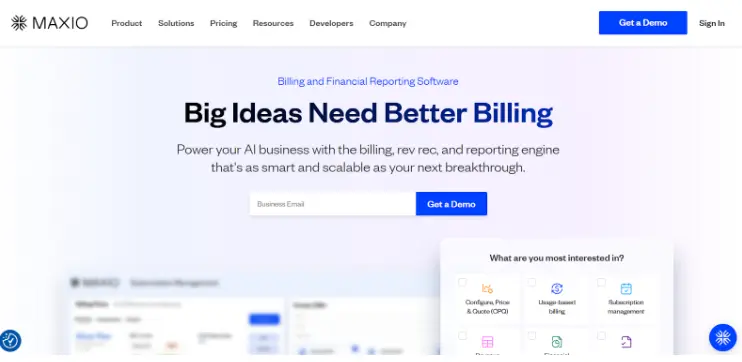
Maxio has limited revenue recognition flexibility and no native entitlement support.
Features
- CPQ: Offer pre-defined contract clauses and native contract signing across Finance, Sales, and Legal teams.
- Billing: Supports flexible pricing options including usage-based, stairstep, metered, and volume pricing, handles complex scenarios such as minimum commitments and overages, and supports 150+ currencies.
- Revenue Recognition: Integrates invoices into the general ledger, automates revenue recognition as per IFRS 15 and ASC 606 standards, and consolidates journal entries.
- Metrics and Reporting: Unifies data for easy visualization and cohort analysis.
Pros
- Well-suited for standard B2B SaaS subscription models , particularly those that require trials, upgrades, and renewals
- Supports usage-based billing via API ingestion or CSV uploads, with metering capacity up to 100k events per second
- Provides analytics for key SaaS metrics like MRR/ARR, churn, and customer cohorts
Cons
- Limited revenue recognition capabilities, supports basic use cases without flexibility for corrections, granular allocation, or large-scale usage-based recognition
- Lacks a native concept of entitlements, such as feature-based access control, prepaid usage limits, or credit balance management
- Data flow inefficiencies due to reliance on 2 separate underlying systems (Chargify & SaaSOptics)
- Requires structural changes to CRM systems, which can disrupt existing workflows and processes
5. Sage Intacct
Sage Intacct is a cloud-based financial management platform designed for mid-market businesses and enterprises. It approaches revenue operations from an accounting and ERP perspective, making it suitable for finance-led teams that need deep accounting capabilities alongside billing and revenue recognition. Salesforce Revenue Cloud, by contrast, drives the order-to-cash workflow from its native CRM.
It offers 600 billing scenarios to choose from and automates revenue recognition and expense amortization in compliance with ASC 606 and IFRS 15, going beyond Salesforce Revenue Cloud’s partial automation. Implementation is also faster, at 8 to 20 weeks, compared to Salesforce’s 6 to 12 months.
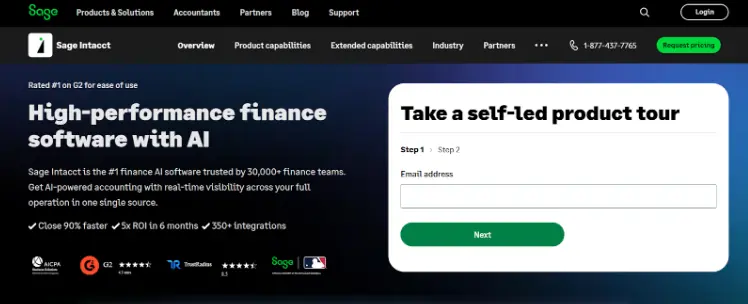
Sage Intacct is built primarily as an ERP platform, which means native usage metering and variable SaaS billing are not its core strengths.
Features
- Accounts Receivable: Automatically translates billing information into journal entries, posts them to the GL and AR ledgers, and calculates the sales tax liability for each transaction.
- Order Management: Consolidates data from multiple sources into a single, unified workflow, eliminating manual data entry and reducing risk of errors.
- Billing: Automates recurring billing cycles including subscription-based models, enabling timely invoicing with minimal intervention.
- Financial Reporting: Delivers multi-dimensional visibility into financial statements, correlates operational and financial metrics, and supports interactive dashboards to surface insights.
Pros
- Cloud-native platform with anytime/anywhere access and automatic quarterly updates
- Comprehensive ERP system with strong general accounting capabilities and multi-entity support
- Reliable for traditional financial management beyond billing and revenue reporting
Cons
- Limited effectiveness for non-standard or variable revenue models commonly seen in SaaS businesses
- No native metering engine, requiring all usage data to be pre-processed externally
- Lacks a native customer portal; must purchase a third-party solution along with added licensing and implementation costs
- Basic entitlement management capabilities, limited to included units and overage rates
Why do finance teams look for Salesforce alternatives?
Let’s first examine how Salesforce Billing and Revenue Cloud creates friction in your billing and revenue operations.
- Pricing changes shouldn’t depend on engineering
Pricing evolves in weeks and months, not years. Finance teams need to make pricing changes, create custom contracts, and manage revenue recognition without relying on engineering. Salesforce Billing isn’t built for that.
- Simple changes like adding a pricing tier or discount rule need a developer.
- Engineering must build and maintain code for complex billing scenarios, adding to admin overhead.
- Over time, engineering gets pulled from core product work, and finance and sales become slow to respond to client needs.
- Salesforce was built to manage sales relationships
Salesforce was built to manage sales relationships, and its billing capabilities reflect that. As usage-based pricing becomes the default, this gap becomes harder to ignore.
- Teams must modify their backend to store extra fields like contract IDs, pricing IDs, and customer mapping to send usage data.
- Salesforce can ingest usage only via API, adding unnecessary complexity.
- Usage is tightly coupled with pricing, so any pricing change requires engineering to update the code.
- Revenue recognition coupled with billing creates problem for automation
In SaaS, revenue recognition is rarely straightforward. Tying it closely to billing, as Salesforce does, creates problems.
- Basic scenarios work, but anything complex requires additional modules like Revenue Cloud and heavy configuration.
- Common SaaS constructs like minimum commitments, ramp deals, and hybrid pricing are not natively supported.
- Staying compliant with ASC 606 and IFRS 15 often requires manual intervention, since revenue must be recognized as performance obligations are met, not when cash is received.
What to look for in Salesforce alternatives for billing and revenue?
Let’s explore the key features you should look out for when considering a Salesforce alternative for your billing and revenue recognition automation.
- Engineering independence and no-code configuration
- How much can finance do without engineering?
Post go-live, engineering involvement should be minimal. The platform must be a plug-and-play solution, enabling finance teams to independently configure pricing models, modify contracts, and manage billing updates through a no-code interface.
- How quickly can billing reflect a new deal?
When sales closes a bespoke deal, billing should reflect it within hours, not weeks. If non-standard contracts require code and go into engineering backlogs, the platform becomes a bottleneck.
- Flexible pricing architecture
- What pricing models does it support natively?
The platform should natively support all pricing models, including subscriptions, usage-based pricing, ramp deals, minimum commitments, and bespoke contracts. Reliance on code for custom models limits flexibility.
- How does it handle pricing changes and mid-cycle adjustments?
Finance should be able to independently add pricing tiers, modify contracts mid-cycle, and introduce discount rules.
- Usage metering infrastructure
- How does the platform ingest and process usage data?
The platform must support multi-source ingestion via APIs and data warehouses. It should handle high event volumes reliably without engineering involvement.
- How flexible is the aggregation and billing logic?
When finance wants to change how usage is measured or billed, they should be able to make the change in the platform directly. Over-dependence on developers reduces flexibility and responsiveness.
- Revenue recognition depth
- Is revenue recognition truly decoupled from billing?
Revenue should be recognized when performance obligations are met, not when cash is received. A good platform decouples revenue recognition from billing, automatically updating revenue schedules for contract changes and must support scenarios such as minimum commitments, ramp deals, and mid-cycle upgrades.
- How complete is the automation across all accounts?
The platform should fully automate revenue recognition completely by generating journal entries, and posting it to the general ledger and subledgers including AR, deferred revenue, unbilled revenue, tax payable and bad debt. It must ensure compliance with ASC 606 and IFRS 15 standards, making it audit-ready without manual work.
- CRM and ERP integration
- How well does it integrate with your existing tools?
Native, two-way, real-time integrations with CRM, CPQ, ERP, payment processors, and tax tools help avoid data inconsistencies, especially at month end close.
- Are integrations included or charged as add-ons?
Salesforce charges extra for critical integrations like NetSuite and Intacct. A better alternative should include integrations at base price, and not charged as add-ons.
- Implementation timeline and total cost of ownership
- What is the realistic cost and timeline to go live?
Costs are not limited to license fees, but also include SI partner costs, integration fees, and premium support tiers. If implementation requires external consultants, the total cost of ownership increases. A realistic timeline to go live should be weeks to a few months, at max, not a year.
- How does pricing scale as your business grows?
Understand the pricing model of the software: per user, flat fee, or revenue based. Model costs not just for today, but at 2-5x scale. Watch for add-ons for advanced features that can significantly increase total spend.
Ready to move beyond Salesforce for your firm?
The best Salesforce alternatives don’t replicate what Salesforce does, they fix what it got wrong. Zenskar checks all the boxes, offering flexibility and seamless integration with your existing tech stack.
Unlike Salesforce Billing and Revenue Cloud, Zenskar gives you:
- AI-native billing and revenue operations with embedded automation and natural language querying
- No-code, end-to-end order-to-cash workflow automation built for finance teams
- Fully flexible pricing across subscription, usage-based, and bespoke contracts
- Decoupled and automated revenue recognition (ASC 606/IFRS 15 compliant)
- High-scale usage metering (50,000+ events/sec) with flexible logic
- 100+ two-way integrations across CRM, ERP, CPQ, payments, and data sources
- Plug-and-play analytics with no-code dashboards and reporting
- Custom invoicing with flexible terms, splits, consolidation and templates
- AI assistant for setup and operational workflow ease
Ready to see it in action?
Take an interactive product tour to explore these features in action at your own pace, or book a free demo with Zenskar to see how we automate billing and revenue recognition for companies of all sizes through a no-code interface, leaving Salesforce's limitations behind.
Frequently asked questions
It can, but not natively. Usage data must be ingested via API, and any pricing change tied to usage would require engineering to update the underlying code, making finance teams slower.
It depends on the platform and the size of your business. Zenskar takes 2 to 16 weeks depending on business size. Chargebee takes 3 to 12 weeks. Sage Intacct takes 8 to 20 weeks. Zuora is the longest at 3 to 9 months.
Most alternatives integrate with leading CRMs, like Hubspot, Salesforce, Pipedrive, and Microsoft Dynamics. Zenskar offers 2-way integrations with all major CRMs. Sage Intacct connects to Salesforce via a third-party integration, and other CRMs may require a workaround.
Coupled revenue recognition, as in Salesforce Billing and most basic platforms, ties revenue recognition to billing events like invoice creation or cash receipt. Decoupled revenue recognition, as in Zenskar, recognizes revenue independently as performance obligations are met, as required by ASC 606 and IFRS 15.
Zenskar is designed to scale from startup to enterprise. Its advantage lies in pricing flexibility. So when your contracts becomes more complex, you need not re-platform.
Grow your subscriptions without limits
Don't let another dollar slip through the cracks.
