

Top 6 Sage Intacct Alternatives in 2026
Explore the top 6 Sage Intacct alternatives for billing, revenue recognition, and accounts receivable in 2026. Find the right fit for your team.
Introduction
Most finance teams don’t go looking for a Sage Intacct alternative on a quiet working day. They go looking after the fourth time a pricing change broke their revenue recognition workflow. Or after realizing that adding a new usage-based tier means filing a support ticket, waiting a week, and still needing a developer to finish the job.
It was built for an era when billing meant sending the same invoice every month. For usage-driven businesses where pricing evolves constantly, that foundation starts to show its limits.
This guide covers the top 6 Sage Intacct alternatives. They fall into two categories: dedicated billing and revenue recognition platforms (Zenskar, Zuora, Chargebee, and Maxio), built for teams whose core frustration is billing rigidity and revenue recognition complexity; and full ERP replacements (NetSuite and Microsoft Dynamics 365), for teams looking to replace Sage Intacct’s financial management capabilities entirely.
Why do teams look for Sage Intacct alternatives?
It handles standard subscription billing well. But as businesses adopt usage-based, hybrid, and custom pricing, its billing and revenue recognition capabilities struggle to keep pace.
- Billing can’t keep up with modern pricing models
- It works well for standard subscription models but struggles with usage-based, hybrid, and other custom pricing models.
- Bespoke contract terms, conditional revenue logic, and mid-cycle adjustments require manual workarounds or paid add-ons to implement.
- Any pricing change that does not fit Intacct’s standard templates becomes a configuration project involving engineering, rather than a simple self-serve task.
- Revenue recognition breaks down for non-standard models
- It can handle straightforward SaaS revenue patterns (such as subscription) well, but struggles when models become variable or usage-dependent.
- Configuration of performance obligations and recognition rules is difficult and often requires expert guidance and dev involvement.
- Edge cases require custom schedules and manual adjustments, increasing audit risk and slowing down the month-end financial close.
- No native usage-metering
- It has no native metering or transformation engine. As a result, usage data must be aggregated externally before it can be imported.
- Custom usage logic requires scripts, ETL pipelines, or separate tools, all of which add engineering overhead and an ongoing maintenance burden.
- There is no real-time usage tracking. Everything is batch-processed at a lag, limiting visibility into customer behavior.
- High and unpredictable total cost of ownership
- Custom quote-based pricing makes it difficult to forecast the true cost of the platform before signing.
- Core capabilities like revenue recognition are sold as separate add-on modules, meaning costs grow with every new requirement.
Sage Intacct alternatives: Comparison at a glance
(standard subscription)

Top 6 Sage Intacct alternatives in 2026
1. Zenskar
Zenskar is a modern billing and revenue recognition platform built for businesses with custom, usage-based, and hybrid pricing models. It automates the full order-to-cash process, from contract ingestion and invoice creation to revenue recognition, without developer involvement. Finance teams can configure any pricing model, manage mid-cycle contract changes, and close books faster, all from a single platform that integrates with your existing ERP and CRM.

Features
- Billing: Automates invoice creation for bespoke contracts with custom pricing, discount terms, start dates, contract mergers and splits, and flexible payment modes.
- Revenue recognition: No-code revenue recognition supporting milestone-based, usage-based, and prorated methods, with straight line, front-load, and back-load distribution options. Fully compliant with ASC and IFRS 15, with a complete audit trail.
- Usage metering: Ingests data from 100+ native integrations and accepts pushed data via API up to 50,000 events per second, with no pre-aggregation required.
- Analytics AI: Plug-and-play dashboards with natural language querying, no SQL or data team dependency required.
- Zen AI: An AI assistant for both setup and daily operations; handling platform configuration, auto-generating performance obligations, and managing routine tasks.
Pros
- Supports all pricing models, from subscription to bespoke contracts, without dev dependence
- Fully automated revenue recognition, decoupled from billing, allowing complete flexibility
- No ERP lock-in; works with NetSuite, QuickBooks, Xero, and others
- Ingests up to 50,000+ events per second for high-volume usage metering
- Go live in 2-16 weeks with hands-on implementation support
- Custom invoices with splitting, consolidation, and dynamic templates
- 100+ two-way integrations with CRM, ERP, CPQ, and payment systems
- Multi-entity, multi-currency accounting managed under one login
- 24/7 Slack, Zoom, and email support at no extra cost
Cons
- No native quoting (CPQ) capabilities
- Does not support non-revenue functions like accounts payable and expense management
Why Zenskar is the best Salesforce Billing alternative?
2. Zuora
Zuora is an enterprise subscription billing platform. It is built for high-volume recurring revenue operations and supports a wide range of pricing models across multiple currencies. Large enterprises with mature billing operations are Zuora’s primary fit, though the platform comes with a steep implementation and learning curve.
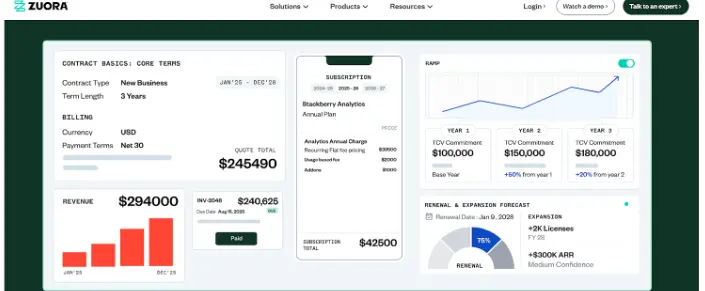
Zuora’s billing interface is powerful for high-volume subscription operations, but difficult to configure for non-standard pricing.
Features
- Billing: Processes 400k+ invoices per hour across 180 currencies, supports 50+ pricing models including recurring, usage-based, hybrid, and multi-attribute pricing
- Revenue Recognition: Automates revenue recognition via SSP allocation, compliant with ASC 606 and IFRS 15 standards
- CPQ: Quoting built for subscription businesses, allowing quotes to vary by deal terms including features, pricing, and timing
Pros
- Handles high-volume billing at scale; purpose-built for subscription and usage-based monetization
- Supports recurring, metered, and hybrid billing models with automated renewals, trials, upgrades, and downgrades
- Automated dunning reduces involuntary churn from failed payments
- Strong integrations with multiple global payment gateways
Cons
- No real-time processing; batch updates every 12-24 hours with no native usage aggregation
- Revenue recognition capped at 3,000 schedules per subscription charge; RevPro is a separate product requiring data migration for revenue recognition
- All connectors are API-based, mostly paid add-ons and structurally invasive to your CRM instance
- Analytics limited to 5 dashboards per tenant, with up to 24-hour data latency, no multi-entity support
- Implementation takes several months and requires expensive external consultants
3. Chargebee
Chargebee is a subscription management and billing platform popular among growing SaaS and subscription businesses. It covers the full subscription lifecycle: trials, upgrades, renewals, and dunning. It supports a variety of pricing models without requiring significant technical setup. However, it cannot handle highly bespoke contract structures and usage-based billing at scale.
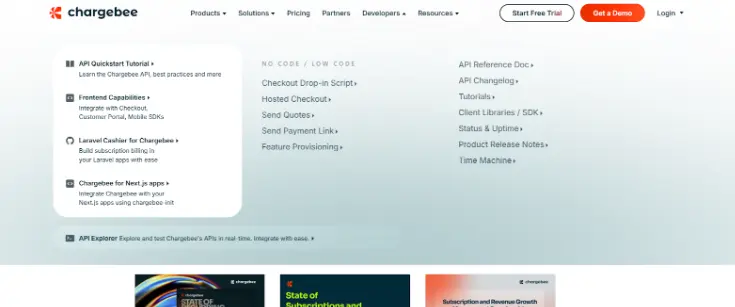
Chargebee’s developer-heavy setup reflects its reliance on API-based ingestion for usage data and pricing changes.
Features
- Billing: Supports usage-based, tiered, volume, stairstep, prepaid credit, and package pricing across 100+ currencies
- Revenue recognition: Automates GAAP-compliant revenue recognition across AR, deferred revenue, cash, and sales tax payable, with integrations to existing ERPs and payment gateways. Available as an add-on module.
- CPQ: Aligns quoting, billing, and selling rules from a single product catalog, enabling sales and finance collaboration
- Reporting: No code dashboard builder for custom metrics tracking and financial reporting
Pros
- Strong subscription lifecycle automation covering full customer journey
- Multi-currency support across 100+ currencies for international operations
- Tax compliance automated via integration with Avalara
- High usage metering capacity supporting up to 200k events per second
Cons
- Revenue recognition is a paid add-on, not included in the core product
- No multi-entity revenue recognition support, limiting its viability for companies with complex org structures
- Usage data ingestion and pricing changes require API-based developer involvement
- Non-standard billing scenarios such as minimum commitments, platform fees, arrears within a single contract aren’t natively supported
4. Maxio
Maxio, formerly operating as two separate products, Chargify and SaaSOptics, is a billing and financial operations platform built for B2B SaaS firms. It brings subscription billing and SaaS financial reporting together in one place, making it suitable for finance teams that want visibility into metrics like MRR, ARR, and churn alongside their billing workflows. It works well for companies with relatively standard SaaS billing models but can require significant internal effort to set up and maintain. The distinction of two separate underlying systems causes integration issues.
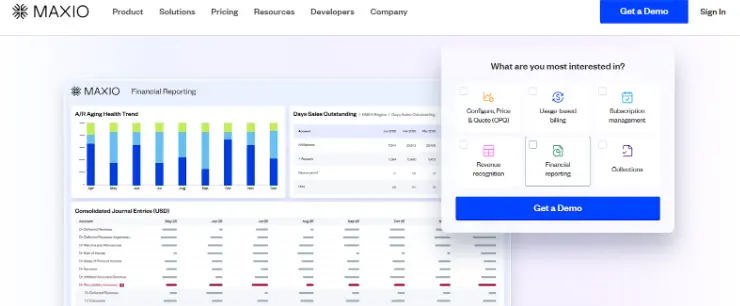
Maxio’s reporting dashboard is strong for SaaS metrics, but built on two separate systems that don’t always talk to each other cleanly.
Features
- Billing: Supports usage-based, stairstep, metered, and volume pricing with minimum commitments and overages across 150+ currencies.
- Revenue Recognition: Automates GAAP-compliant revenue recognition per ASC 606 and IFRS 15. Integrates invoices into GL and consolidates journal entries.
- Metrics and Reporting: Unified data environment for SaaS metrics visualization and cohort analysis.
- CPQ: Pre-defined contract clauses with native contract signing across finance, sales, and legal teams.
Pros
- Built for B2B SaaS; handles trials, upgrades, renewals, and standard subscription lifecycles well
- Supports usage-based billing via API ingestion or CSV uploads, with metering capacity up to 100k events per second
- Built-in SaaS analytics for MRR, ARR, churn, and customer cohorts
Cons
- Pricing changes require dev involvement
- Built on two separate systems (Chargify and SaaSOptics), creating data flow issues between billing and revenue recognition
- Revenue recognition limited to basic accounts; no support for corrections, granular allocation, or usage-based recognition at scale
- Primarily self-serve; implementation, data mapping, and workflow setup must be handled by your internal team
5. NetSuite
Oracle NetSuite is the most widely adopted cloud ERP for mid-market businesses. It covers the full spectrum of business operations, such as financials, inventory, supply chain, procurement, and more in a single platform. NetSuite is the most comprehensive option on this list for ERP needs, though it comes with a corresponding implementation timeline and cost.

NetSuite’s ARM module is capable for standard scenarios, but complex to configure for non-standard recognition methods
Features
- Subscription Billing: Manages invoicing, rating, and recurring subscription billing with automatic renewals
- Revenue recognition: Automates revenue allocation based on contract rules, with support for contract modifications, additions, and cancellations, fully compliant with ASC 606 and IFRS 15. Performance obligations, milestones, and other revenue triggers can be built directly into each contract’s revenue plan.
- Financial reporting: Role-based dashboards and real-time reports compliant with US GAAP and IFRS. Multi-book functionality lets companies maintain parallel books for different accounting standards, tax codes, and reporting needs.
- Financial consolidation: Centralizes accounting across multiple business units, subsidiaries, and regions with multi-entity and multi-book accounting capabilities.
Pros
- Most comprehensive ERP, covers a suite of business operations in a single platform
- Multi-entity and multi-book accounting for businesses with multiple subsidiaries, regions, and standards
- Large ecosystem of implementation partners and third-party integrations
- Automated revenue recognition compliant with ASC 606 and IFRS 15
Cons
- Revenue recognition is mostly straight line; custom or hybrid schedules require scripting
- Multi-account distribution rules need custom configuration to implement
- Dynamic start date logic isn’t natively supported
- No native ability to pause and resume revenue recognition mid-cycle
- GL entries must be manually reconciled after every scheduled edit
- No bulk updates for revenue schedules; each contract must be updated individually
6. Microsoft Dynamics 365
Microsoft Dynamics 365 Finance is a cloud ERP platform designed for mid-market to enterprises that need deep financial management capabilities and tight integration with the Microsoft ecosystem. It brings financial planning, accounting, consolidation, and AI-driven analytics together in one platform, with native connectivity to Excel, Power BI, and Azure. It is a strong fit for companies already invested in Microsoft infrastructure, though, like most full ERPs, it requires significant time and partner involvement to implement.
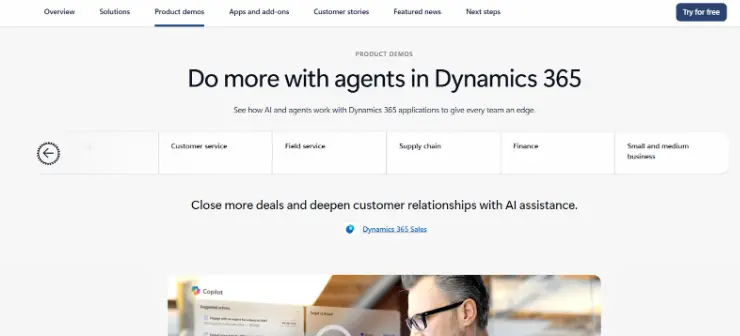
Microsoft Dynamics 365 Finance is a full ERP suite for organizations already invested in the Microsoft ecosystem
Features
- Quote-to-cash: Optimizes monetization with AI-powered billing, AR, and collections, covering the full revenue cycle from invoicing to payment reconciliation.
- Accounting and financial close: Offers self-serve analytics to expedite the financial close and reporting process.
- Business performance management: Copilot-assisted self-service financial and operational analytics delivered through Power BI and Excel
- Financial consolidation: Manages financial books of multiple entities with native intercompany accounting and multi-entity reporting.
Pros
- Full ERP depth covering financial management, operations, and supply chain in one platform
- Deep integration with Microsoft tools including Excel, Teams, Power BI, and Azure
- AI-powered billing, AR, and collections with predictive cash flow forecasting via Microsoft Copilot
Cons
- Steep learning curve, requiring significant training investment
- No native support for usage-based pricing or mid-term contract amendments
- Advanced revenue recognition requires customization or third-party tools
- Implementation typically requires a certified Microsoft partner, adding cost and time to go-live
What to look for in Sage Intacct alternatives for billing and revenue?
- Flexible pricing model support: Your billing platform should handle every pricing model your business runs today and might adopt in the future. Look for native support for subscription, usage-based, hybrid, tiered, and prepaid credit models without requiring developer involvement or custom scripting for pricing changes.
- Automated revenue recognition: Manual revenue recognition is a compliance risk. The right alternative should automate revenue recognition across all your pricing models, handle contract modifications and cancellations without manual intervention, and create journal entries that are compliant with ASC 606 and IFRS 15 rules.
- Native usage metering: If your business bills on consumption, usage metering is a must. A good platform must ingest usage data natively from multiple sources, handle aggregation without custom ETL pipelines, and automatically map it to the right customer and contract in real time.
- Deep ERP and CRM integrations: Switching your billing platform doesn’t have to mean switching your entire ERP. The right alternative integrates bi-directionally with your existing tech stack, syncs journal entries automatically, and connects to your CRM without forcing a structural change on either side.
- Fast implementation with minimal developer dependency: Finance teams shouldn’t need an engineer to make a pricing change. Look for a solution that goes live in weeks rather than months, allows finance teams to configure any billing or revenue recognition change without engineering support, and offers hands-on implementation.
- Reliable and responsive support: Implementation is merely the beginning. Look for a vendor that offers dedicated support through channels your teams use, responds in a timely manner, and treats post go-live success as seriously as the sale.
Ready to move beyond Sage Intacct?
You now understand where the platform falls short for modern billing and revenue operations, and what to prioritize when evaluating alternatives. The right platform should eliminate the friction points you experience, be it billing rigidity, manual revenue recognition workarounds, or the lack of native usage metering.
Unlike Sage Intacct, Zenskar gives you:
- AI-native billing and revenue operations with embedded automation and natural language querying
- No-code, end-to-end order-to-cash workflow automation built for finance teams
- Fully flexible pricing across subscription, usage-based, and bespoke contracts
- Decoupled and automated revenue recognition (ASC 606/IFRS 15 compliant)
- High-scale usage metering (50,000+ events/sec) with flexible logic
- 100+ two-way integrations across CRM, ERP, CPQ, payments, and data sources
- Plug-and-play analytics with no-code dashboards and reporting
- Custom invoicing with flexible terms, splits, consolidation and templates
- AI assistant for setup and operational workflow ease
Zenskar helped Vertice automate billing and revenue recognition and helped them save 90% of time on manual grunt work and close books 70% faster.
Ready to see it in action?
Take an interactive product tour to explore these features in action at your own pace.
Or book a free demo with Zenskar to see how we automate billing and revenue recognition for companies of all sizes through a no-code interface.
Frequently asked questions
Most platforms support data migration from your current platform, but the complexity depends on your contract history and pricing models. Dedicated billing platforms typically have faster migration paths than full ERP replacements.
Focus on 4 things: whether it handles your current and future pricing without dev involvement, how deeply it automates revenue recognition, whether it integrates with your CRM and ERP, and how fast you can go live.
Yes, platforms like Zenskar integrate bi-directionally with NetSuite, QuickBooks, Xero, and others, so you replace the billing and revenue layer without touching your ERP.
Choose a platform that separates pricing configuration from billing. Zenskar lets finance teams change pricing models, add new tiers, and adjust contract terms without a developer, which matters most when your pricing is a moving target.
If your frustration with the platform is billing rigidity, usage metering, or revenue recognition for non-standard models, you need a dedicated billing platform. If your pain goes beyond billing into other business aspects such as inventory or supply chain, a full ERP replacement is the right path.
Grow your subscriptions without limits
Don't let another dollar slip through the cracks.
